
Keyboard Shortcuts: Quickly Close Programs, Windows, and Tabs

typing 22
Featured / Tips

Keyboard Shortcuts: Quickly Close Programs, Windows, and Tabs

We’ve all been there – you’re diligently working on that important game of solitaire and suddenly, your boss decides it’s the perfect time for a surprise visit. Panic sets in as you scramble to close windows and tabs faster than a kid caught with their hand in the cookie jar. That’s where keyboard shortcuts come to the rescue, allowing you to navigate your device like a pro and save valuable time.

Whether you’re a student, professional, or casual user, efficiency is key. Let’s explore some essential shortcuts that can swiftly close programs, windows, and even recover a closed tab on both Windows and Mac systems.


Closing Programs and Windows:
(@aczzlehq)

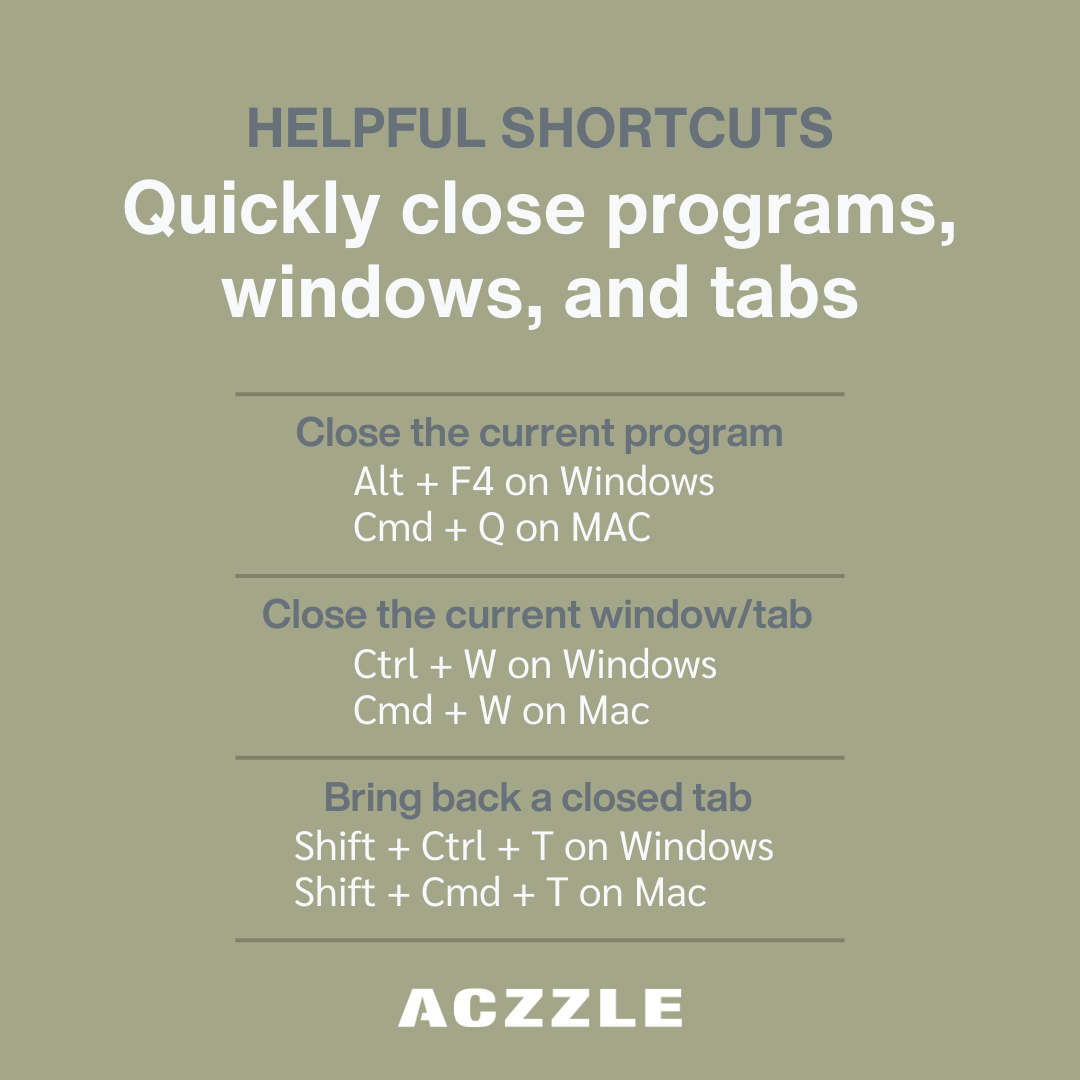
  • Alt + F4 (Windows) / Command + Q (Mac): Swiftly close the active program or application. No need to hunt for the elusive close button anymore.
  • Ctrl + W (Windows) / Command + W (Mac): Close the currently active window or tab within an application. A lifesaver when you have multiple windows open.
  • Alt + Space + C (Windows) / Command + Option + W (Mac): Close all open windows of the currently active application. Ideal for a clean slate when you’re done with a task.
  • Alt + F4 (Windows) / Command + Option + Escape (Mac): When all else fails and a program becomes unresponsive, this shortcut brings up the Task Manager on Windows or the Force Quit menu on Mac.


Bringing Back a Closed Tab:
  • Ctrl + Shift + T (Windows) / Command + Shift + T (Mac): Accidentally closed a tab you didn’t mean to? Fear not, this nifty shortcut restores the most recently closed tab in your browser.


Additional Handy Shortcuts:
(@aczzlehq)

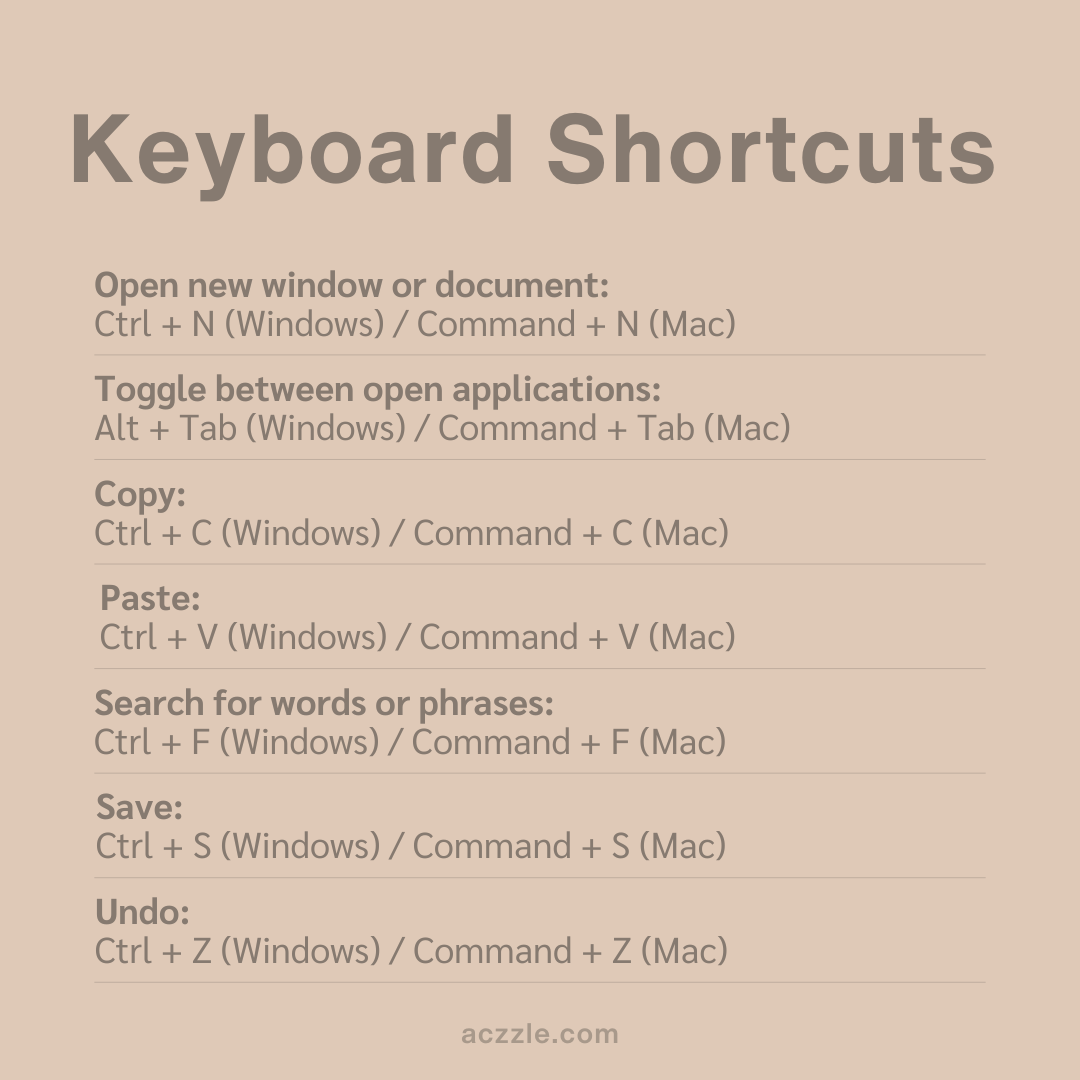
  • Alt + Tab (Windows) / Command + Tab (Mac): Toggle between open applications quickly, making multitasking a breeze.
  • Ctrl + N (Windows) / Command + N (Mac): Open a new window or document in most applications.
  • Ctrl + S (Windows) / Command + S (Mac): Save your work instantly without reaching for the mouse.
  • Ctrl + Z (Windows) / Command + Z (Mac): The ultimate undo shortcut – reverse your last action like it never happened.
  • Ctrl + C (Windows) / Command + C (Mac) and Ctrl + V (Windows) / Command + V (Mac): Copy and paste text or files seamlessly across applications.
  • Ctrl + F (Windows) / Command + F (Mac): Instantly search for specific words or phrases within a document or webpage.


Harnessing the power of these keyboard shortcuts can transform your computing experience. By integrating these time-saving gems into your workflow, you’ll navigate your device with finesse and efficiency. So, the next time you find yourself clicking through menus or fumbling with your mouse, remember that a world of productivity is at your fingertips – quite literally!

Interested in learning more? Click here to explore related blog posts.

Lorem ipsum dolor sit amet, consectetur adipiscing elit. Nam bibendum ultrices arcu ac vestibulum. Nam nec tempus quam.

[fusion_separator style_type=”none” sep_color=”” border_size=”0″ icon=”” icon_circle=”” icon_circle_color=”” alignment=”center” hide_on_mobile=”small-visibility,medium-visibility,large-visibility” class=”” id=”” top_margin=”10px” bottom_margin=”10px” /]

[fusion_button link=”https://aczzle.com/our-team/” text_transform=”” title=”” target=”_self” link_attributes=”” alignment=”left” modal=”” color=”default” button_gradient_top_color=”” button_gradient_bottom_color=”” button_gradient_top_color_hover=”” button_gradient_bottom_color_hover=”” accent_color=”” accent_hover_color=”” type=”” bevel_color=”” border_width=”” size=”” stretch=”default” shape=”” icon=”” icon_position=”left” icon_divider=”no” animation_type=”” animation_direction=”left” animation_speed=”0.3″ animation_offset=”” hide_on_mobile=”small-visibility,medium-visibility,large-visibility” class=”” id=””]Our Team[/fusion_button]

Newsletter sign-up
Sign up to our newsletter for regular updates and more.

[fusion_separator style_type=”none” sep_color=”” border_size=”0″ icon=”” icon_circle=”” icon_circle_color=”” alignment=”center” hide_on_mobile=”small-visibility,medium-visibility,large-visibility” class=”” id=”” top_margin=”15px” /]

[fusion_imageframe image_id=”2650″ max_width=”” style_type=”” blur=”” stylecolor=”” hover_type=”zoomin” bordersize=”” bordercolor=”” borderradius=”” align=”center” lightbox=”no” gallery_id=”” lightbox_image=”” lightbox_image_id=”” alt=”” link=”https://aczzle.com/corporate-governance/” linktarget=”_self” animation_type=”” animation_direction=”left” animation_speed=”0.3″ animation_offset=”” hide_on_mobile=”small-visibility,medium-visibility,large-visibility” class=”” id=””]https://aczzle.com/wp-content/uploads/2021/11/corporate-governance.png[/fusion_imageframe]

[fusion_separator style_type=”none” sep_color=”” border_size=”0″ icon=”” icon_circle=”” icon_circle_color=”” alignment=”center” hide_on_mobile=”small-visibility,medium-visibility,large-visibility” class=”” id=”” top_margin=”15px” /]

Corporate Governance

[fusion_separator style_type=”none” sep_color=”” border_size=”0″ icon=”” icon_circle=”” icon_circle_color=”” alignment=”center” hide_on_mobile=”small-visibility,medium-visibility,large-visibility” class=”” id=”” top_margin=”20px” bottom_margin=”35px” /]

[fusion_imageframe image_id=”2651″ max_width=”” style_type=”” blur=”” stylecolor=”” hover_type=”zoomin” bordersize=”” bordercolor=”” borderradius=”” align=”center” lightbox=”no” gallery_id=”” lightbox_image=”” lightbox_image_id=”” alt=”” link=”https://aczzle.com/earnings/” linktarget=”_self” animation_type=”” animation_direction=”left” animation_speed=”0.3″ animation_offset=”” hide_on_mobile=”small-visibility,medium-visibility,large-visibility” class=”” id=””]https://aczzle.com/wp-content/uploads/2021/11/earnings.png[/fusion_imageframe]

[fusion_separator style_type=”none” sep_color=”” border_size=”0″ icon=”” icon_circle=”” icon_circle_color=”” alignment=”center” hide_on_mobile=”small-visibility,medium-visibility,large-visibility” class=”” id=”” top_margin=”15px” /]

Earnings